what-is-desktop-01

Introduction to Power BI

Overview

Course Description

Course Description

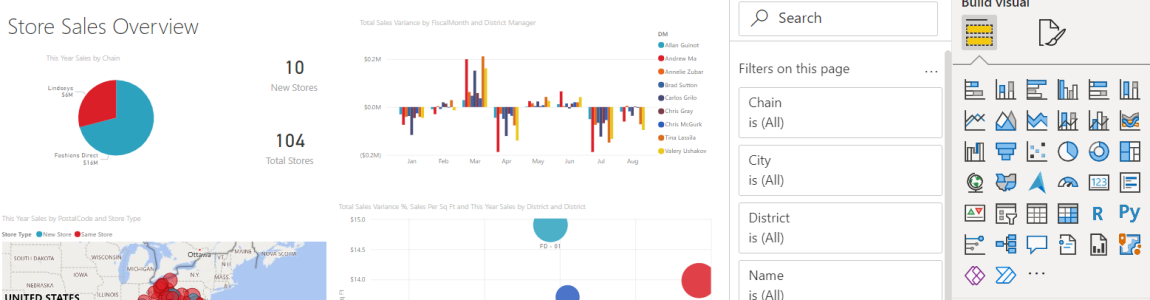
This course is designed to provide participants with an introduction to Power BI data analysis and visualization software. Throughout the program, they will learn how to identify when and how to use Power BI, connect various data sources, and apply basic and advanced transformations to properly structure their data. Additionally, they will master the use of DAX expressions to optimize models, create impactful visualizations, and design interactive reports that facilitate informed decision making. This course offers a practical approach, allowing participants to apply their knowledge to solve real-world situations using Power BI.

At The End Of The Course You Will Be Able To

  • Define what the Power BI tool is and when to use it.
  • Identify the different data sources and the methodology for obtaining them.
  • Apply basic Power BI functions such as connector types, basic table transformations and more complex ones such as pivoting, data grouping, combining, conditional columns, among others.
  • Use Data Analysis (DAX) expressions to improve created models.
  • Know the general rules for data tables.
  • Create data visualizations for decision making.
  • Build reports that include different types of graphics.
  • Evaluate a situation based on data provided by applying the Power BI knowledge covered during the course.

Course Content

  1. Introduction to Power BI
    • What is Power BI and when to use it?
    • Explanation of the benefits and uses of the product.
    • Installation and version considerations
    • Information about the available versions and how to install.
  2. Getting Data
    • Data sources: databases, files, and web
    • How to connect different types of data in Power BI.
    • Remapping moved data sources
    • How to handle changes in the location of data sources.
  3. Basic Functions
    • Deleting columns and rows
    • Tools to clean up unnecessary data.
    • Changing data types
    • How to adjust data to the appropriate types.
    • Filters
    • Using basic filters for visualization and analysis.
  4. Complex Functions
    • Grouping, splitting, and duplicating data
    • Advanced techniques for organizing data.
    • Data Blending: Aggregating and Merging
    • Pivoting and Unpivoting Data
    • Adding Columns and Custom Columns
    • Conditional Column and Index
  5. Relationships and Hierarchies
    • Model View and Relationship Management (30 minutes)
    • Types of Joins and Hierarchies
    • Working with Related Tables
  6. DAX Formulas and Measures
    • Formulas and Measures
    • Introduction and practice with basic formulas and measures.
    • Quick Actions
  7. Data Tables and Time Intelligence
    • Data Table Rules and Configuration
    • Automatic Date Tables and Time Intelligence
  8. Visualizations
    • Matrices and Charts
    • KPIs and Spatial Intelligence
  9. Managing Visualizations
    • Slicers and Drilling
    • Basic and Advanced Filters
  10. Publishing and Sharing Reports
    • Publishing on the Web
    • Exporting to PDF
  11. Final Project and Practice
    • Group Project Solution and Presentation

Description

This course is designed to provide participants with an introduction to Power BI. Throughout the program, they will learn how to identify when and how to use Power BI, connect various data sources, and apply basic and advanced transformations to properly structure and visualize their data.

Duration: 12 hours

Modality: Group

Participant limit: 15

Course Features

This course is designed to provide participants with an introduction to Power BI. Throughout the program, they will learn how to identify when and how to use Power BI, connect various data sources, and apply basic and advanced transformations to properly structure and visualize their data.

Duration: 12 hours

Modality: Group

Participant limit: 15

Ask for help

info@smdlearning.com

The Students Also Bought

This course provides a comprehensive understanding of lasers applied to marking, from basic principles to practical applications and specialized maintenance.

Duration: 8 hours

CEUs: 0.9

Modality: Group

Participant limit: 15

Download Technical Information

This course introduces participants to Programmable Logic Controllers (PLCs), providing a solid foundation in understanding and programming these essential devices in industrial automation.

Duration: 16 hours

CEUs: 1.5

Modality: Group

Participant limit: 15

Download Technical Information

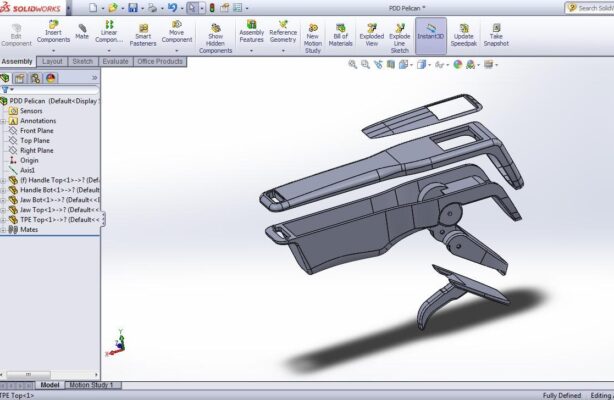
This course provides a comprehensive introduction to the SolidWorks software, It covers the fundamental aspects of SolidWorks, including navigating the user interface, creating and editing sketches, and developing basic and complex models.

Duration: 24 hours

Modality: Group

Participant limit: 15

Download Technical Information